
MySQL-Generating Row Number for each row
Thank you for landing here
In a development work environment as a developer or database administrator may expect the query results to have sequential number or running number like 1,2,3,4, etc for each row . There are databases have their own way of handling row number generation. This article explains how Microsoft SQL Server and MySQL behaves to get the work done.
Microsoft SQL Server has in-build function called ROW_NUMBER() picks the sequential order by column name first_name.
I have done lots of googling to find the solution, but ended up finding due to mysql lower version the result is achievable, boom a big no from many web site references. Good News in this article is to get the solution with big YES right below. There are two methods to solve
CREATE TABLE Employee
(
EmpId int,
first_name varchar(100),
last_name varchar(100),
city varchar(50)
);
INSERT INTO Employee (EmpId,first_name,last_name,city)
SELECT 1001,’Robert‘,’Brown‘,’London‘
UNION
SELECT 1002,’Jack‘,’Sparrow‘,’Hebrwood‘
UNION
SELECT 1003,’George‘,’Joseph‘,’Redmond‘;
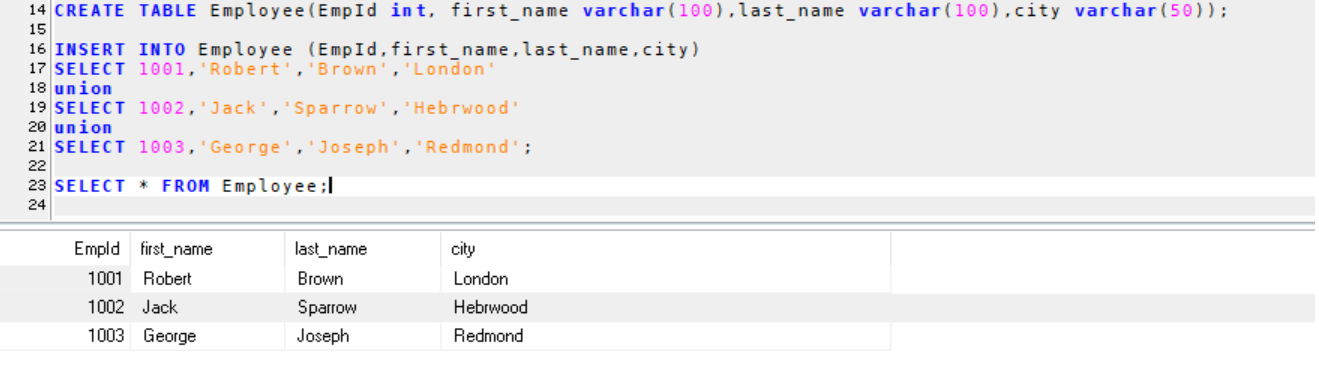
Step 2:
Method 1 : Set a variable and use it in a SELECT statement
Execute the SET command in the query window, this means your setting a variable @row_number to 0.
SET @row_number:=0;
Now, execute the below query you get the query results with row number 1,2,3 etc.
SELECT @row_number:=@row_number+1 AS row_number,
EmpId,
first_name,
last_name,
city
FROM Employee
ORDER BY EmpId;
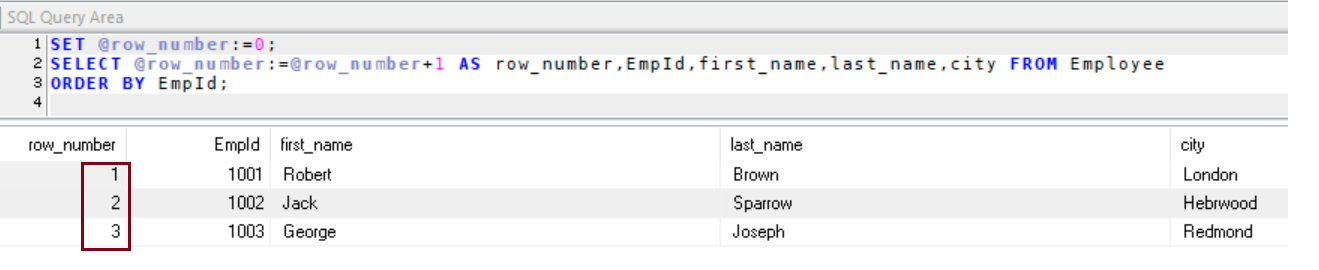
At this point, you might have got a question why should we user variable and setting to 0, what happens if we do not set variable to 0 ? what will be output of @row_number? To answer your question @row_number gives the server sequence number which will be unique and every time you run the query @row_number value will keep increasing.
Let’s say, you are running the query first time and it has 3 rows, row_number will be 1,2,3. The second time you run the same query now row_number will be 4,5,6. The third time you run the same query now row_number will be 7,8,9 as it goes on becomes the unwanted results isn’t?
Step 3:
Method 2 : Use a variable as a table and cross join it with the source table
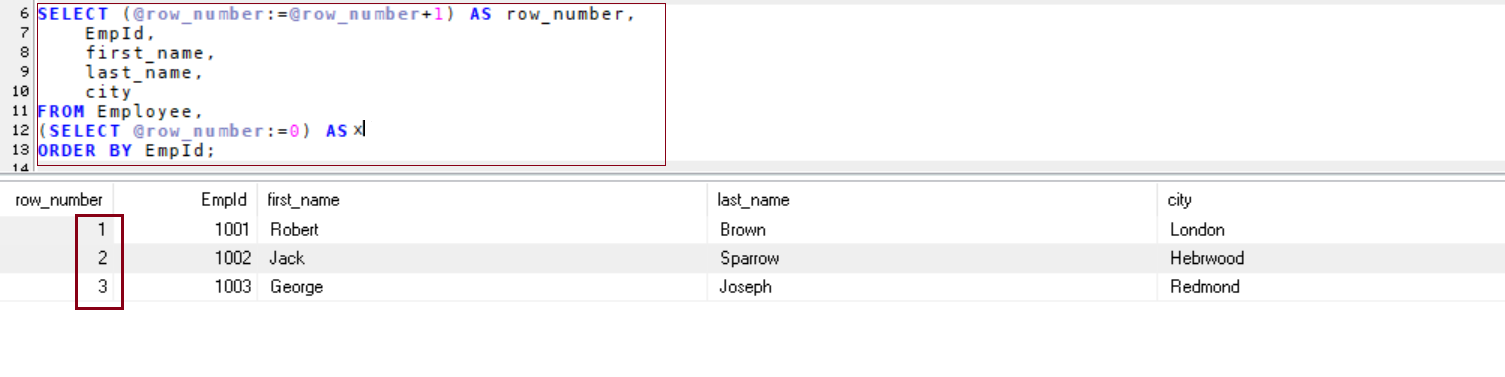
Isn’t possible to get it done with single query ? Yes, possible using cross join
SELECT (@row_number:=@row_number+1) AS row_number,
EmpId,
first_name,
last_name,
city
FROM Employee,
(SELECT @row_number:=0) AS x
ORDER BY EmpId;
Note that yellow , highlighted and then placed select statement as assigning @row_number to 0 value.
If you run your application without next step you will encounter an fatal error @row_number must be defined.
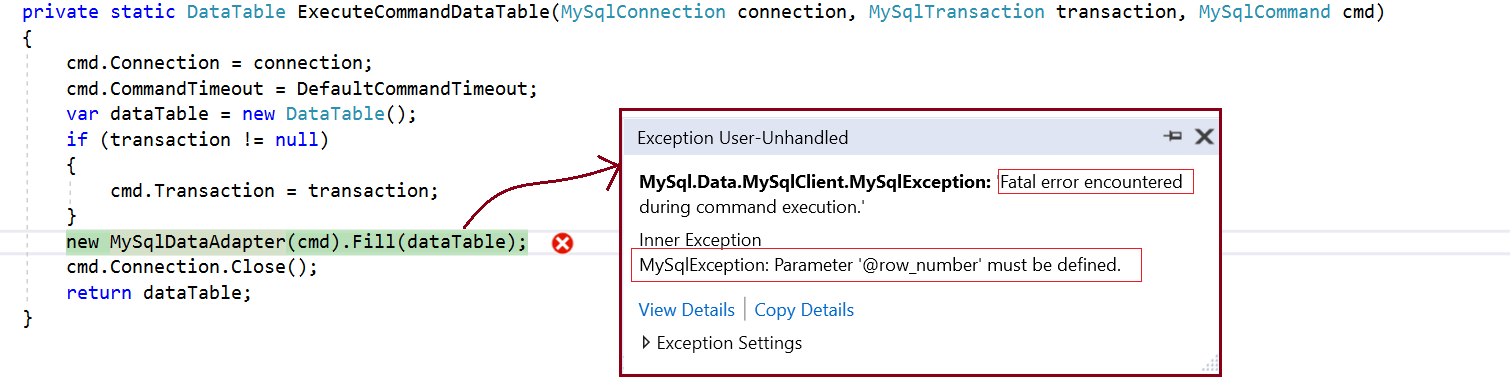
Database=testdb;Data Source=localhost;User Id=root;Password=****;Allow User Variables=True;
In this article we have seen, how Microsoft SQL Server and MySQL work on getting row_number in the select query. Please make sure you can follow step by steps example and include Allow user variables=true in your connection string to complete the results
Reference:
MySQL How to find Command Line Client?
 Arjun's Blog