
Microsoft Authenticator
Two factor authentication (TFA) is easy, convenient, and secure when you use Microsoft Authenticator. Use your phone, not your password, to log into your Microsoft account. Just enter your username, then approve the notification sent to your phone. Your fingerprint, face ID, or PIN will provide a second layer of security in this two step verification process. After you’ve signed in with two factor authentication (TFA), you’ll have access to all your Microsoft products and services, such as Outlook, OneDrive, Office, and more.
Sign in is easy, convenient, and secure when you use Microsoft Authenticator. Use your phone, not your password, to log into your Microsoft account. You simply have to enter your username, then approve the notification sent to your phone. Your fingerprint, face ID, or PIN will provide a second layer of security in this two step verification process. After, you’ll have access to all your Microsoft products and services, such as Outlook, One Drive, Office, and more.
Microsoft Authenticator also supports multi factor authentication for work, school, and non-Microsoft accounts. The app provides a second layer of security after your password. When logging in, you’ll enter your password, and then you’ll be asked for an additional way to prove it’s really you. Either approve the notification sent to the Microsoft Authenticator, or enter the verification code generated by the app.
Sometimes your work or school might ask you to install the Microsoft Authenticator when accessing certain files, emails, or apps. You will need to register your device to your organization through the app and add your work or school account. Microsoft Authenticator also supports cert-based authentication by issuing a certificate on your device. This will let your organization know that the sign-in request is coming from a trusted device and help you seamlessly and securely access additional Microsoft apps and services without needing to log into each. Because Microsoft Authenticator supports single sign-on, once you have proven your identity once, you will not need to log in again to other Microsoft apps on your device.
Get the app on your phone, for free
Enter your phone number and we’ll send you a download link.Microsoft will use your phone number only for this one-time transactional purpose, the information won’t be stored. Standard SMS rates may apply.
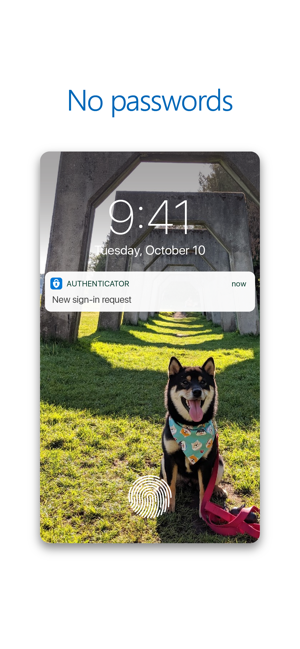
Go Passwordless
Passwords can be forgotten, stolen, or compromised. With Authenticator, your phone provides an extra layer of security on top of your PIN or fingerprint.

More secure
Passwords can be forgotten, stolen, or compromised. With Authenticator, your phone provides an extra layer of security on top of your PIN or fingerprint.

Get your apps faster
Use Authenticator to sign-in to Outlook, One Drive, Office, and more..
Add multiple accounts
Protect all of your accounts with two-step verification. The app also helps you secure all of your online accounts by using the industry standard time-based OTP (one-time password) codes.

 Arjun's Blog